
04 — Services

Techsolutions.

800 employees, zero headaches.

If your team is the bridge between tools that don’t talk to each other, there is work you can do without. We build platforms and integrations around how you actually operate.

Let’s talk about yours
01 — What it solves

A tool starts with the people using it.

A museum visit and agency management seem far apart. In both, technology has to connect one task to the next.

From the AMB to a building, in one flight
Open film ↗
01 / 03

Xamfrà · one question at a time.

Our digital twin of the AMB’s 36 municipalities: 87 views, 23 scenario tools and 98 official sources in a 3D viewer. Every figure says where it comes from and every hypothesis is labelled.

View the complete case
  • Data from different bodies, in one place and with its source.
  • Our own product: design, data and development done in-house.
A heritage context photograph. The phone shows the actual Museu Palau Mercader instance in Cornellà. The waveform comes from the Arab Room’s audio.
Open film ↗
02 / 03

AppMuseus · from QR to content.

Visitors scan an exhibit, choose a language and access content without installing an app. Behind the scenes, museum staff can manage entries, media and QR codes.

View the complete case
  • A simple public journey and an administration tool to maintain it.
  • Open source: an implementation that can evolve.
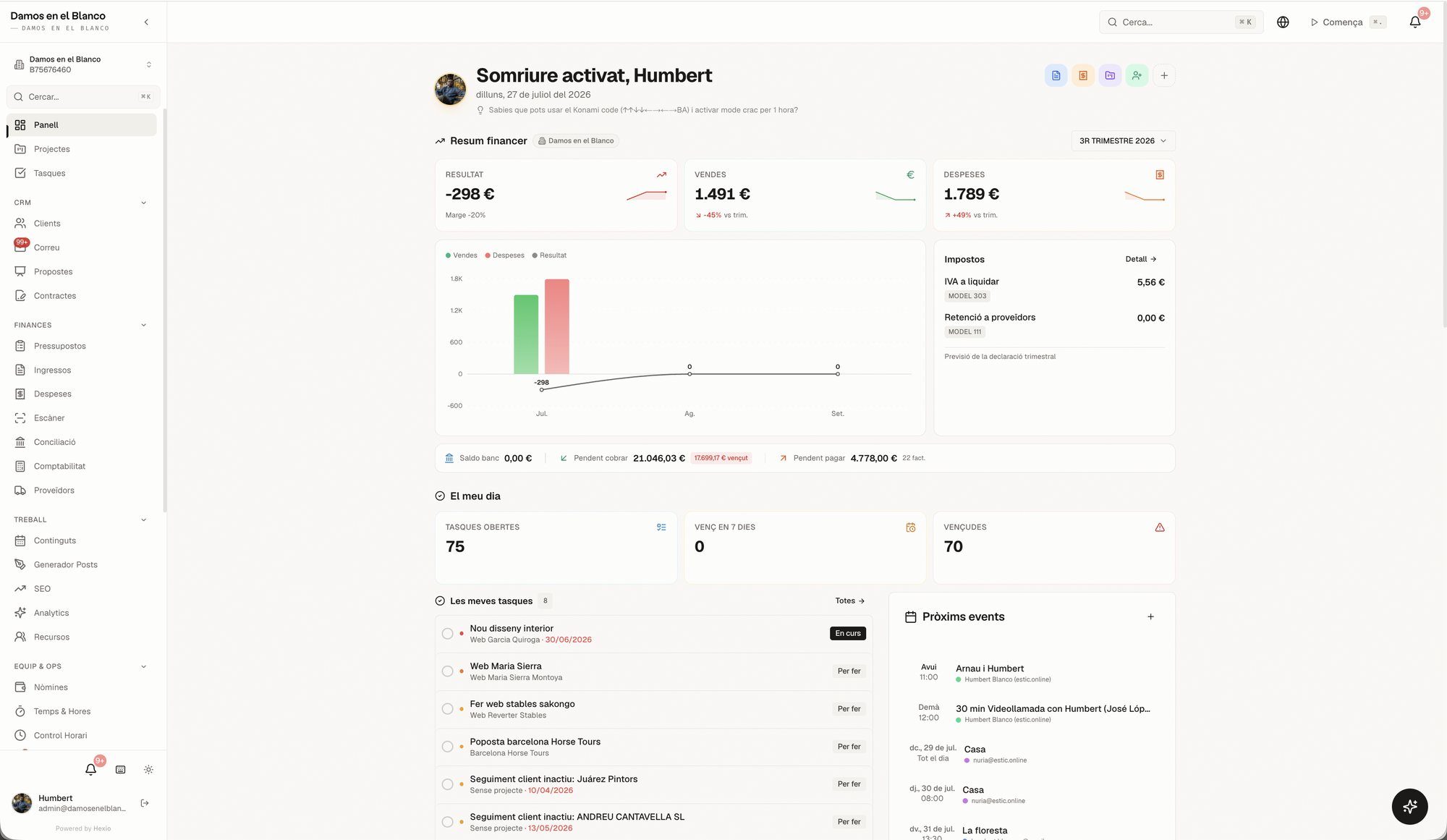
Hexio · modules need to talk to each other.
The actual Hexio dashboard, a Damos product. Capture of the version documented in the case.
03 / 03

Hexio · modules need to talk to each other.

Clients, projects, tasks and management share an application we built and use in the agency. Its value comes from connected data, rather than more open tabs.

View the complete case
  • Start with the process that needs connecting.
  • The dashboard brings financial activity and the team’s work together.
02 — Deliverables

A solution people can operate.

The first version should solve a defined process and make clear who maintains it, with which data and permissions.

Functional map

Users, tasks, data, permissions and the integrations the solution needs.

Agree what belongs in the first version.

Product or integration

Interface, logic and connections defined in scope, with an environment to review how they work.

Test the process before making it part of daily work.

Rollout

Usage documentation, access and agreed support and development arrangements.

Assign responsibility beyond delivery.

Everything we can work on
  • Custom apps and platforms
  • Process automation
  • Integrations (CRM, ERP, whatever you've got)
  • Private areas and intranets
  • Migrations without the drama
  • Support from people, not bots
03 — Process

Process first. Technology follows.

A prototype helps uncover decisions before they become development work.

  1. Map the work

    Follow a real task: where it starts, who is involved and which data gets entered again.

    Review: workflow, users and the first version’s boundaries.

  2. Validate the journey

    Try screens and connections with specific use cases and test data.

    Review: permissions, inputs, states and outputs.

  3. Implement and support

    Build, check the complete workflow and prepare its use and continuity.

    Review: functional acceptance and team handover.

It's for you if…

  • Your team loses hours on jobs a machine would do
  • You've got 4 tools that don't talk to each other
  • You need a private area or intranet for real

Not for you if…

  • You want tech just to look modern
  • You're after "an app like Uber but for…" without Uber's budget
  • There's no one inside who wants to adopt it

A defined engagement

Build a digital product.

Turn a specific task into a tool people can use and maintain. We start with its users, the data it needs and what the first version must solve.

01

What you receive

  • A map of users, tasks, data and permissions.
  • A prototype and first version with agreed functions and acceptance checks.
  • Documentation, access and responsibilities for operation and development.

02

How we work

  1. Follow a real task and define the limits of the first version.
  2. Test the journey with use cases and suitable data.
  3. Build, verify the connections and prepare for launch.

03

What you bring

  • The people doing the work and whoever sets their priorities.
  • Access to the necessary systems and data, including their restrictions.
  • Acceptance criteria and someone responsible for operating the product.

04

What we agree separately

  • Licences, infrastructure and external service usage.
  • New functions beyond the agreed first version.
  • Ongoing support and development, defined under their own scope.
04 — Questions

Good questions. Straight answers.

Do we work with our 15-year-old ERP?

Probably yes. We've seen worse (and integrated it).

Proprietary or open code?

Open whenever possible. The code is yours: no hostage-taking.

Self-hosted or cloud?

Whatever the project calls for. Our own ERP is self-hosted in the EU: we know both options because we live in both.

Do you maintain what you build?

Always. We don't deliver and vanish: the Cornellà platform has been in production for years with us behind it.

Do you integrate with what we have?

That's the job: API, SSO, banking, CRM… The odd thing is a project without integrations.

What if we grow?

Then the platform grows with you. We design for the size you'll be, not just the size you are.

AI, yes or no?

Where it helps — search, classify, answer over your data — yes. As a marketing sticker, no. We use it in our own product, so we know where it helps and where it gets in the way.

What now

Tell us where your team loses hours.

Let's talk about your project

These are good starting points:

  1. Which task is costing your team time.
  2. Which systems you use now.
  3. Who will use the solution every day.

Want to get your thoughts in order first? Start with the brief.

Prepare my brief
Next service · 05Positioning